Since we’re spending so much time at home in front of our computers, I bought a new keyboard for my Mac Air. I hate the thin membrane type keyboards. There is no key travel nor touch so I make a lot of touch-typing errors. I learned typing a long time ago during a summer school course at Glenforest Secondary School. These were the days before computers so we were using IBM Selectric typewriters with the ball shaped typing element.

One of the first computers I used for work was an IBM XT clone with an old style IBM keyboard that also had very tall mechanical keys. I spent another summer typing in ocean freight data for my uncle’s company near LAX.

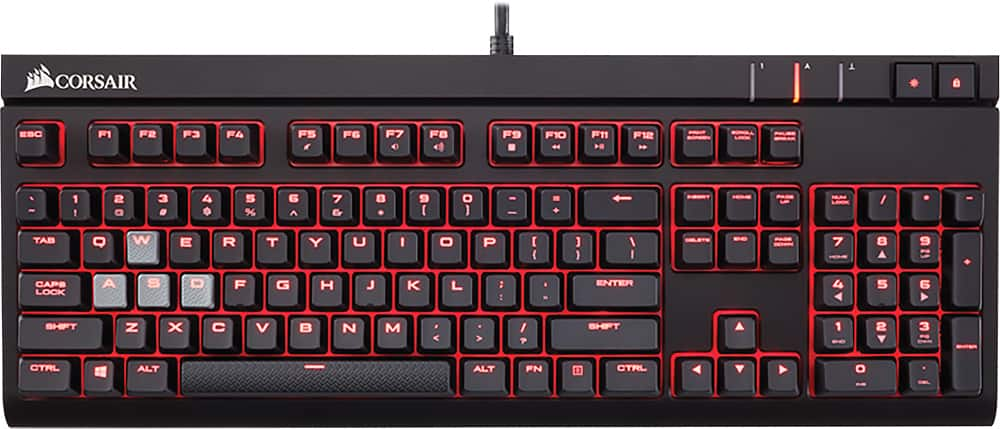
With my experience, I’ve always had an affinity for mechanical keyboards. I find that I can type faster and more accurately on them compared to all the new slim keyboards, especially when you get above 80 words per minute. A few years ago, I bought a Corsair STRAFE gaming keyboard that had Cherry MX red key switches. It was huge and loud, much like the old Selectric typewriters. I brought it to work but ended up taking it home since everyone nearby could hear me type.
Finally, back to my Mac Air. I used to have a first generation Apple Bluetooth keyboard but the connection was super buggy and it ate through four AA batteries very quickly. I then bought a slim keyboard from Amazon but it sucked for typing. I finally went out to look for a third party OS X Bluetooth keyboard and found a Keychron K4. It uses Gatron red key switches, which are a Chinese copy of the Cherry switches. It feels a bit looser than my Corsair but much better than the Apple keyboard or the crappy slim one from Amazon Basics. My only complaint? In order to include a keypad and still make it as small as possible, they made the zero key on the keypad smaller, and put the right arrow key where part of the key should be. The result is that each time I need to type a “0”, I end up moving the cursor. This is okay in Word but terrible in Excel or other spreadsheets. I think in order to make the keyboard both Mac and Windows compatible, they had to add several function, command, control, and other modifier keys, which cuts down on available real estate.
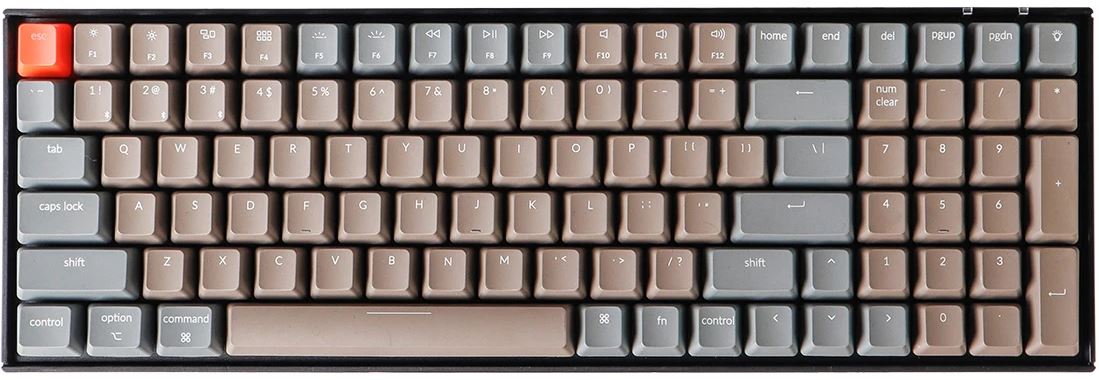
In the photo above, the third right key on the bottom row should be twice the size and span across the “->” and “0” keys. The keyboard connects very easy using Bluetooth and has a built-in rechargeable battery that lasts up to seven days. Other than the zero key, it’s a well thought-out and constructed keyboard.

 Life with chronic diseases