
I purchased a Network Attached Storage (NAS) server several years ago to store and share my media collection. It was a Synology DJ218+, which has two drive bays, and a 6TB Western Digital Red Pro drive. The combo has been working great, except I was running out of space on the drive. Since the NAS still had an empty drive bay, I purchased another 6TB drive (Western Digital Red Plus), and inserted it thinking I would get 12TB of storage.
Nope.
The default setup of the NAS storage volumes is Synology Hybrid RAID (SHR), which is basically a RAID 1 configuration. RAID 1 makes a duplicate of the stored data so two 6TB drives only yields 6TB of total storage, not 12TB. Of course, I did not know this so I had to wait for the NAS to finish duplicating the 5.5TB of data so I can reset the entire system and start over. Resetting also means wiping all the data on the NAS. Luckily I had enough excess storage spread across multiple devices to back everything up. It took me two days to figure out how to set the NAS up for RAID 0, which is combining both drives into one storage volume. Now I am restoring all the data back on to the NAS. First volume contains all the movies and TV shows, which totals 3.57TB. I am doing this on my PC and the dialog box said it will take 10 hours and 30 minutes.
Ugh.
After that is done, I still have to restore other videos, music, photos, and other non-media data. This may take an entire week. I also need to figure out how to back up all this data. I was using a 4TB drive for movies and TV shows, and another 3TB drive for the rest. I guess that is still sufficient for now but eventually I will need more storage. It is like a slowly spreading disease.
==========
So about three hours have passed and the Windows dialog box says… 11 hours to go. WTF?! It looks like the transfer rate is ~100MB/sec so 3.57TB should take 3.57 x 1024 x 1024 / 100 / 60 / 60 = 10.4 hours. Hey, the 10 hour 30 minute initial estimate was pretty good. Don’t know what happened during the last three hours though.
==========
30 minutes later and the estimate dropped to 7 hours. These estimates are not very consistent. It says there is 2.39TB to go, which works out to about… 7 hours.
==========
Aaaaaaaahhhhhhhh! I hit [Esc] by accident and the copy process stopped. I just dragged over the two folders again. Hopefully it will lat me skip identical files. Otherwise I just wasted 3.5 hours. 😭
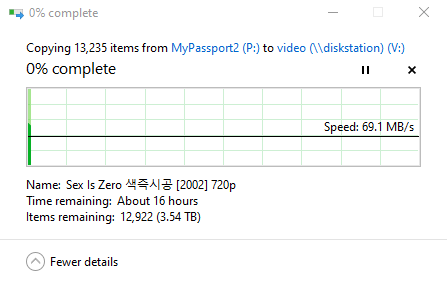
16 hours?!
The transfer speed just picked up again to ~100MB/sec so it “should” copy all the remaining files in about 7 hours then ask me what to do with duplicates. Actually, I was trying to take a screenshot of the above when I hit [Esc].
If you are wondering about the current filename, it is a Korean movie. It is probably similar to something like Revenge of the Nerds. The entire movie with English subtitles can be found on YouTube but it will not let me embed it here.
==========
It is 3:00 am in the morning and the file copy dialog box says 1.9TB remaining and about 7 hours left. The movies folder is completely copied over, and I can see TV show filenames being copied. It will likely end before the 7 hours and ask me if I want to skip or replace the duplicate files from the first copy attempt.
I am not sure which component is the speed bottleneck. The NAS is connected via Ethernet through a gigabit switch, along with the Windows 10 PC that is doing the copying. The source files are on a 4TB external hard drive connected to the PC via USB 3.0 (5 Gbit/sec). I guess if one byte = 8 bits, then 100MB/sec is 800Mbit/sec, pretty close to the gigabit Ethernet speed limit. Also, the maximum transfer rate on the NAS is 112MB/sec so maybe 100MB/sec is normal.
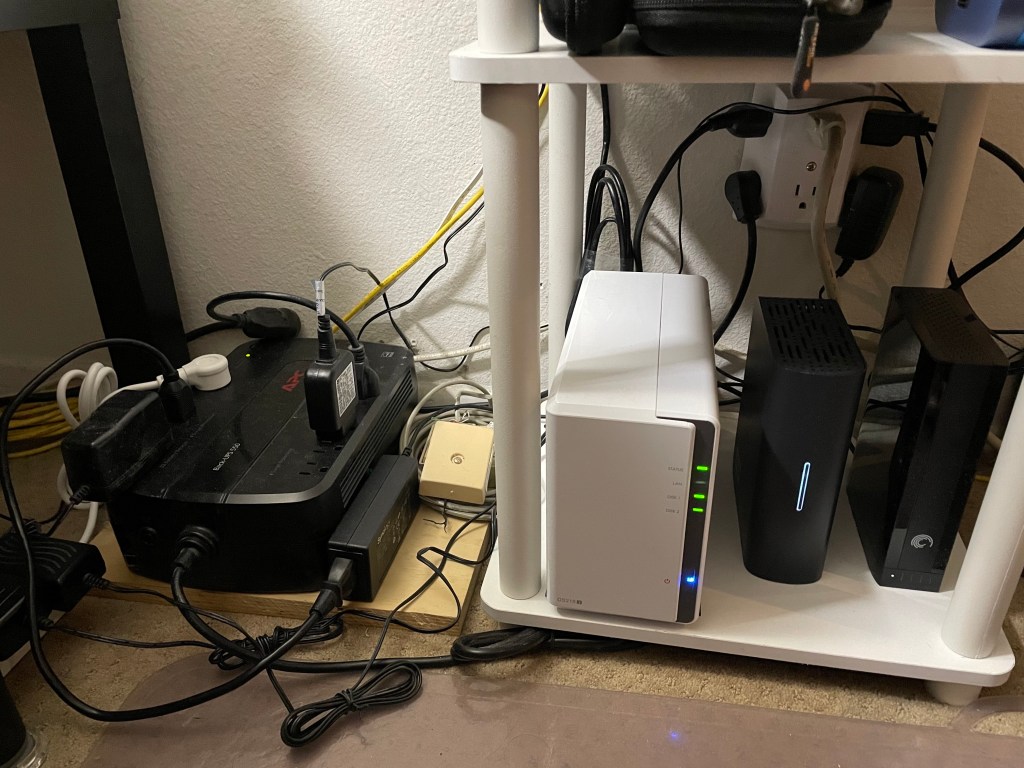
The Synology DJ218+ NAS server is the white box in the middle. To the right is a 1TB external hard drive connected via USB 2.0 that is backing up all the documents on three Windows 10 PCs. To the right of that is a 3TB external hard drive backing up the NAS, except for movies/TV show files. Those are backed up to the 4TB external hard drive mentioned above. The 4TB drive also had built-in Wifi so I can take it with me on trips and stream video to iPhone/iPad using VLC. On the left is a 550VA APC uninterruptible power supply (UPS). The NAS, two external hard drives, Ethernet switch, cable modem, Wifi router, and a LED desk lamp are all connected to the UPS. With 12TB (or 10.8TB useable) of disk space, I probably will need to replace the 1TB external hard drive with something larger, maybe 8TB or more.
==========
I’m going back to sleep. Hopefully the copying will be done when I wake up in a few hours.

 Life with chronic diseases
2 thoughts on “Home NAS Fail”